> For the complete documentation index, see [llms.txt](https://docs.toomuchmedia.com/llms.txt). Markdown versions of documentation pages are available by appending `.md` to page URLs; this page is available as [Markdown](https://docs.toomuchmedia.com/nats-admin/third-party/third-party-management.md).
# Third Party Management
*Article Topics:* [*NATS Admin*](/getting-started/common-topics/nats-admin.md)*,* [*Third Party Partner*](/getting-started/common-topics/third-party-partner.md)
Third parties are sites that bill your members and provide them with content through a partnership with your site. In this partnership, each side receives a percentage of total revenue. In the NATS Third Party Partner Management, you can set up third party partners, delete your partners, and access a Third Party Partner Overview.
### Third Party Partner List
The Third Party List displays all of your third party partners set up in your NATS. The information in the columns include:
* **ID**: A unique identifier for the third party account.
* **Partner**: The name of the third party partner. The name in all-caps with the identification number is the shortname.
* **Account Details**: The account details are going to be specific to the third party partner and are setting to help set up your login with the third party.
* **Last Run / Poll Date**: The last time that the poll was run on the server, and the last transaction time pulled from the third party by the poll.
To filter the list, click the "filter" button at the top right of the page and choose your filtering options. These include displaying enabled and/or disabled partners, filtering by partner, or filtering by an account detail.
## Deleting a Third Party Partner
To delete a third party partner, locate the desired partner you wish to delete, click the "Actions" button to the right of the partner, and click "Delete Partner Account".
*Note: Once a partner is deleted, it cannot be viewed or accessed again.*
## Adding a Third Party Partner
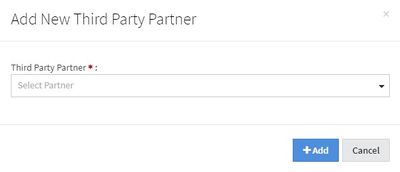
To add a third party partner, click the "Add a Partner" button at the top-right corner of the page. Once clicked, a widget will appear, where you can select the third party partner from a drop-down menu. Once you have chosen, click the "Add" button.
For more information on how to set up a third party, please see "[Adding a Third Party Partner](/nats-admin/third-party/common-question/adding-a-third-party-partner.md)."