> For the complete documentation index, see [llms.txt](https://docs.toomuchmedia.com/llms.txt). Markdown versions of documentation pages are available by appending `.md` to page URLs; this page is available as [Markdown](https://docs.toomuchmedia.com/nats-admin/members/common-questions/how-to-dump-member-details.md).
# How to Dump Member Details
*Article Topics:* [*Members*](/getting-started/common-topics/members.md)
Member Details can be dumped from the [Member Management](/nats-admin/members/member-management.md) Page in the Member Admin.
To the right of the member search bar, there are three buttons. The rightmost button will generate a drop-down menu containing two items; CSV Dump and Email Dump.
The relevant information can then be copied and stored for your use.
## CSV Dump
CSV Dump will generate a new window with a dump of all the member's data.
The CSV Dump is comprised of the following data fields:
memberid,identid,loginid,networkid,refurl\_lookup\_id,landing\_page\_lookup\_id,status,trial,joined,expired,last\_login,stamp,siteid,username,password,cryptpass,ip,email,session,mailok,flat\_price,first\_login,third\_party\_partner\_id,cascadeid,cascade\_item\_id,token,original\_username,renamed,marked,token\_hash,max\_password\_display\_time,locked,can\_delete,firstname,lastname,address1,address2,zip,city,country,state,shipping\_firstname,shipping\_lastname,shipping\_address1,shipping\_address2,shipping\_zip,shipping\_city,shipping\_country,shipping\_state,phone,xsell\_success,xsell\_message,custom1,custom2,custom3,custom4,custom5,last\_modified,custom6,custom7,custom8,custom9,custom10,member\_subscription\_id,memberidx,billerid,statid,cost,cost\_charge,spent,refunded,charges,next\_rebill,optionid,rebills,active,upgradeid,expires,nats\_expires,biller\_expires,original\_optionid,created\_date,loginid\_assigned,identid\_assigned,gateway\_token,passthrough1,passthrough2,passthrough3,passthrough4,passthrough5,forced\_optionid,defaulted\_optionid,bin\_hash,trial\_leftover\_time,coupon\_revision\_id,tpl,campaignid,programid,tourid,adtoolid,subid1,subid2,countryid,promotionalid,loginid\_nice,ip\_hex,ip\_long,programid\_nice,campaignid\_nice,campaign\_name,siteid\_nice,tourid\_nice,flagged
## Email Dump
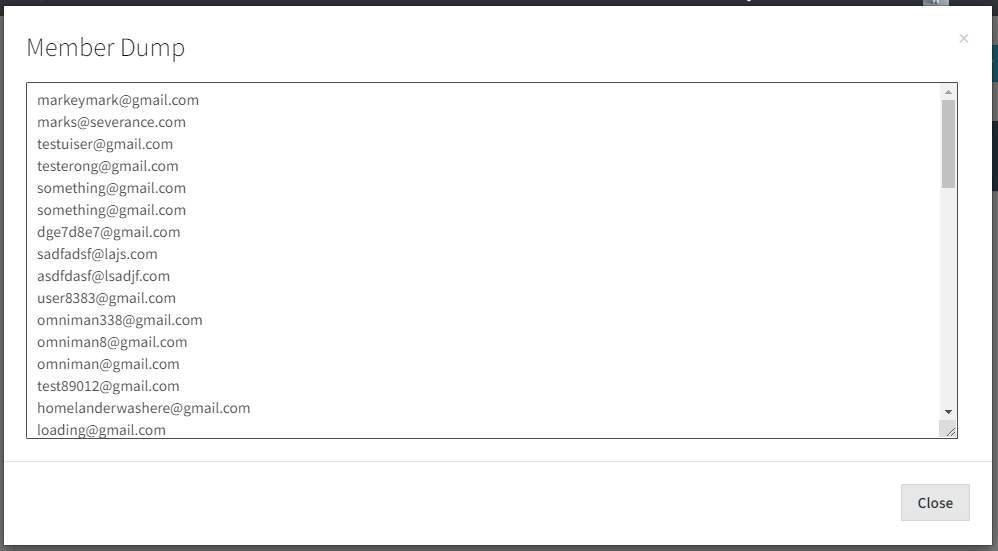
Email Dump will generate a new window with a dump of the emails of all the members that provided emails.
## Related Articles
{% content-ref url="/pages/dkxu26EhpOuktINDGcuc" %}
[Member Overview](/nats-admin/members/member-overview.md)
{% endcontent-ref %}