> For the complete documentation index, see [llms.txt](https://docs.toomuchmedia.com/llms.txt). Markdown versions of documentation pages are available by appending `.md` to page URLs; this page is available as [Markdown](https://docs.toomuchmedia.com/content-management/member-areas-and-tours/themes/block-types/member-account-block.md).
# Member Account Block
*Article Topics:* [*Blocks*](/getting-started/common-topics/blocks.md)*,* [*Member Area*](/getting-started/common-topics/member-area.md)*,* [*Design*](/getting-started/common-topics/design.md)
## Overview
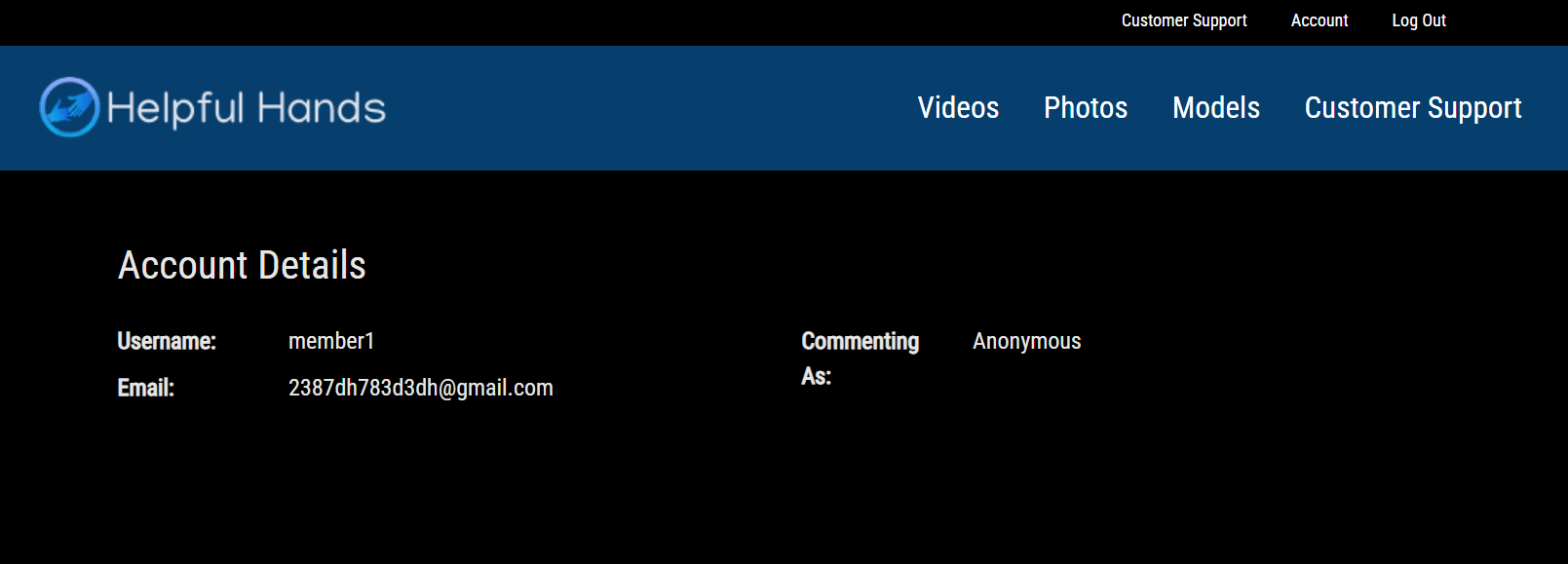
The Member Account Block is a block designed to display essential account details for members who have logged in. This creates a personal experience for members, showing information like the member's username, email address, and their public name used for commenting.
{% hint style="info" %}
Members can change their **Commenting** name when commenting on a page with a [Comment Block](/content-management/member-areas-and-tours/themes/block-types/comment-block.md).
{% endhint %}
This block can only function properly when placed on a space within a **Member Area,** as it relies on the logged-in user's data.
{% embed url="" %}
## Member Account Block Settings
### Details Tab
Use the details tab to set a **internal display name** and description for the block. This will help keep your **Block Library** organized.
### Design Tab
All blocks contain Block Design and Block Content settings. These control how the block fits into the page itself. This may include:
* Adding background colors, padding, classes, or IDs to the block
* Changing the width of the block, and how it fits into your page
More information about Block Design and Block Content settings can be found [here](/content-management/member-areas-and-tours/themes/block-types.md#common-block-settings).
{% hint style="success" %}
**Pro Tips**: If you are looking to add more Member-specific details to your page, please consider adding [an HTML](/content-management/member-areas-and-tours/themes/block-types/html-block.md) block and Replacement Variables to show everything from Username to whether they are a Trial or Full member.
{% endhint %}
## Related Articles
{% content-ref url="/pages/J6Pe6MmfmWL8KMam8usM" %}
[Block Types](/content-management/member-areas-and-tours/themes/block-types.md)
{% endcontent-ref %}
{% content-ref url="/pages/7lV62bDjBqunv1IPSx0K" %}
[User Interaction](/content-management/user-interaction.md)
{% endcontent-ref %}